
Pharma ERP Compliance: Drug License & GST Automation
For pharmaceutical wholesalers and stockists, compliance is essential. Handling regulated medicines requires strict adherence to State Drug Control regulations and Tax Authority mandates. Consequently, a single misstep in tracking a Schedule H or H1 drug can cause heavy financial penalties, license suspensions, or legal audits.
Basic accounting software struggles to keep pace with changing regulations. However, a dedicated pharma erp compliance software like PharmAssist ensures seamless compliance. Operating directly on your local system, PharmAssist Desktop ERP automates regulatory tracking and tax reconciliation without requiring continuous internet connectivity.
Table of Contents
- The High Cost of Non-Compliance in Pharma Wholesale
- Key Regulatory Challenges Facing Pharma Distributors
- How Desktop ERP Automates Drug License & GST Compliance
- Why Local Desktop Reliability Matters for Compliance
- Conclusion
- Frequently Asked Questions (FAQs)
The High Cost of Non-Compliance in Pharma Wholesale
Operating a pharmaceutical distribution business involves double regulatory oversight. Drug Inspectors enforce medicine safety laws, while Tax Officers monitor GST precision. As a result, distributors face two main operational risks:
- Drug License Risks: Selling expired batches or trading with retailers whose drug licenses have expired can result in immediate license cancellation. In addition, failing to record prescribing doctor details for habit-forming drugs creates severe compliance violations.
- GST and Tax Penalties: Incorrect HSN code assignment and delayed GSTR-1 filings lead to steep interest charges. Furthermore, mismatched Input Tax Credit (ITC) blocks tax credits across your supply chain.
Key Regulatory Challenges Facing Pharma Distributors
To maintain audit-ready operations, pharmaceutical stockists must address four major regulatory demands on a daily basis.
1. Schedule H and H1 Register Maintenance
Prescription drugs require strict record-keeping. For example, stockists must record the patient name, prescribing doctor, batch number, and quantity sold. Manual registers often suffer from missing entries and human errors.
2. Expiry and Drug License Validation
Distributors must verify every customer account continuously. Specifically, you must ensure you never sell controlled substances to a retail pharmacy with an expired Drug License (DL) number.
3. Batch-Wise Complete Audit Trails
During a product recall or regulatory audit, speed is vital. Therefore, distributors must trace every unit of a specific batch from manufacturer inward receipt down to the retail pharmacy invoice.
4. Multi-Rate GST Reconciliation
Pharmaceutical products carry varying GST slabs such as 0%, 5%, 12%, and 18%. Managing tax categories, discounts, and free scheme units manually creates significant accounting discrepancies.
How Desktop ERP Automates Drug License & GST Compliance
PharmAssist Desktop ERP embeds compliance directly into your daily billing and procurement workflows through several automated features:
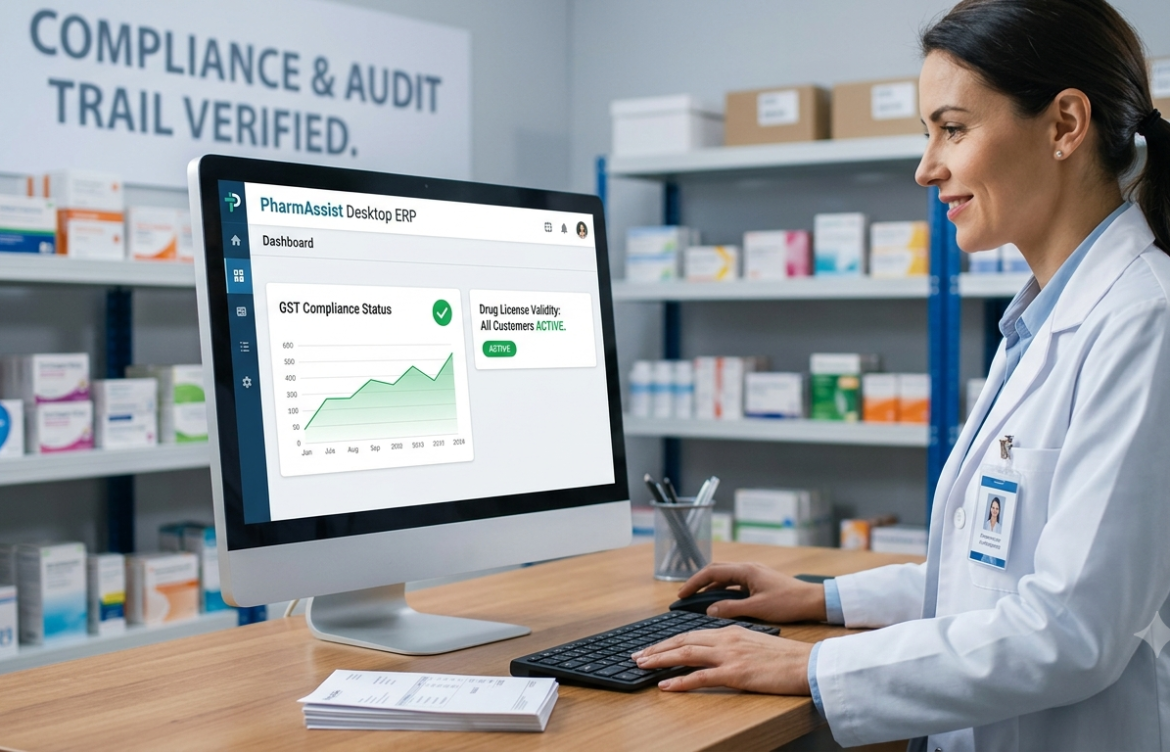
- Automated Drug License Expiry Alerts: PharmAssist maintains customer profiles with active DL numbers and expiry dates. Therefore, the system automatically blocks invoice creation if a retail client’s drug license has expired or is up for renewal.
- Mandatory Schedule H/H1 Invoicing Prompts: When billing prescription SKUs, PharmAssist automatically prompts the operator to input required doctor and prescription details. As a result, you generate compliant sales registers instantly.
- Single-Click GST Return Generation: PharmAssist maps correct HSN codes to all inventory items automatically. In addition, it calculates taxes accurately across schemes and discounts, allowing you to export GSTR-1, GSTR-2, and GSTR-3B audit files directly.
- Instant Batch and Recall Tracking: If a manufacturer issues a batch recall, PharmAssist isolates the batch across your warehouse inventory instantly. Consequently, you get a complete list of retail buyers for immediate notification.
Why Local Desktop Reliability Matters for Compliance
Because PharmAssist ERP runs as a desktop-native application on your local network, your billing counters operate at maximum speed. You do not have to depend on internet uptime or third-party cloud servers.
Even during complete internet outages, your team can generate compliant invoices, record batch details, check drug license validity, and issue sales receipts without interruption. Thus, all regulatory data and audit logs remain securely stored on your local server, ensuring continuous compliance and zero operational downtime.
Conclusion
In the pharmaceutical supply chain, regulatory compliance cannot be left to chance or manual bookkeeping. By deploying PharmAssist Desktop ERP, pharmaceutical distributors automate complex Schedule H/H1 tracking, prevent illegal sales to expired license holders, and streamline GST filings. Ultimately, this ensures your business remains 100% compliant, audit-ready, and profitable.
Frequently Asked Questions (FAQs)
Q1. How does PharmAssist handle Schedule H1 drug compliance?
PharmAssist flags Schedule H1 medicines during invoice creation. It mandates entry of doctor registration details and prescription numbers before finalizing the sale, creating automated regulatory registers.
Q2. Can PharmAssist block sales to retailers with expired Drug Licenses?
Yes. PharmAssist tracks customer Drug License expiry dates. It automatically locks billing for any customer account with an expired license until updated documentation is provided.
Q3. Does PharmAssist Desktop ERP generate GST returns?
Yes. PharmAssist automatically categorizes sales and purchase data into correct GST slabs. Furthermore, it exports audit-ready files for GSTR-1, GSTR-2, and GSTR-3B filings.
Q4. Does PharmAssist require a continuous internet connection to maintain compliance?
No. As a desktop-first ERP, PharmAssist handles all core billing, inventory, and compliance tracking locally on your desktop or server without requiring continuous internet access.